Your first astrology reading — step by step
A click-by-click walkthrough from the chart library to the AI consultation.
Updated 2026-05-26
This guide walks through every screen in the MingAI Astrology flow, in the same order you'll meet them. End-to-end: about a minute from chart to first AI answer.
1. Open My Charts
After signing in on mingai.ai (or western.mingai.ai), the sidebar's first stop is My Charts — your home base for every natal chart you've cast. Past charts show the person's name, birth date, and a quick preview of their sun sign so you can spot the right one at a glance. Hit + New Chart to enter birth data; the form accepts unknown birth times (you'll get a Solar Chart cast instead of a full Placidus chart).
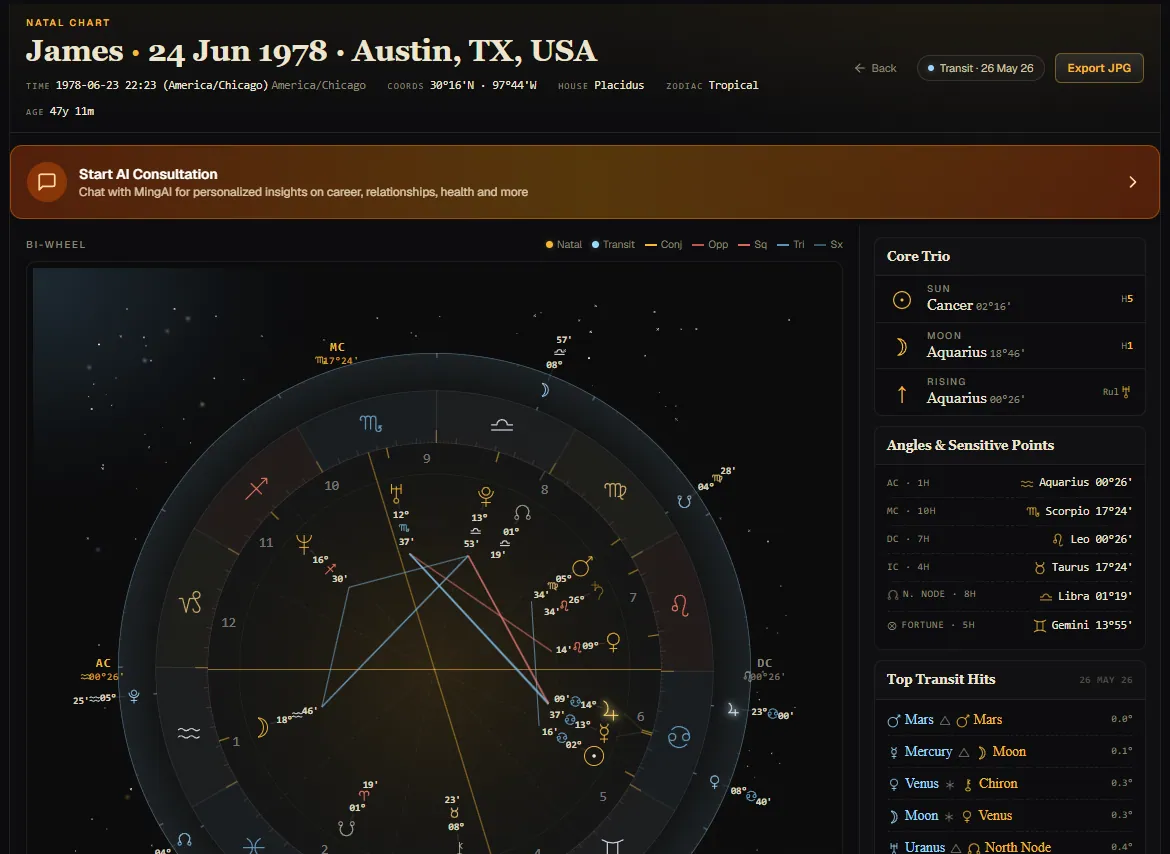
Your astrology subscription unlocks Western natal charts only — there are no per-chart casting fees. The credit pool only ticks down when you talk to the AI about a chart, not when you create one.
2. Open a chart's details
Tap any chart in the list to land on its detail screen. The wheel shows planets in their tropical signs and Placidus houses, with whole-sign overlays available in the settings panel. Below the wheel, MingAI surfaces what most readings open with: the chart ruler chain, Lots of Fortune & Spirit, Zodiacal Releasing L1/L2, and the angular planets and rulerships that anchor a Hellenistic read.
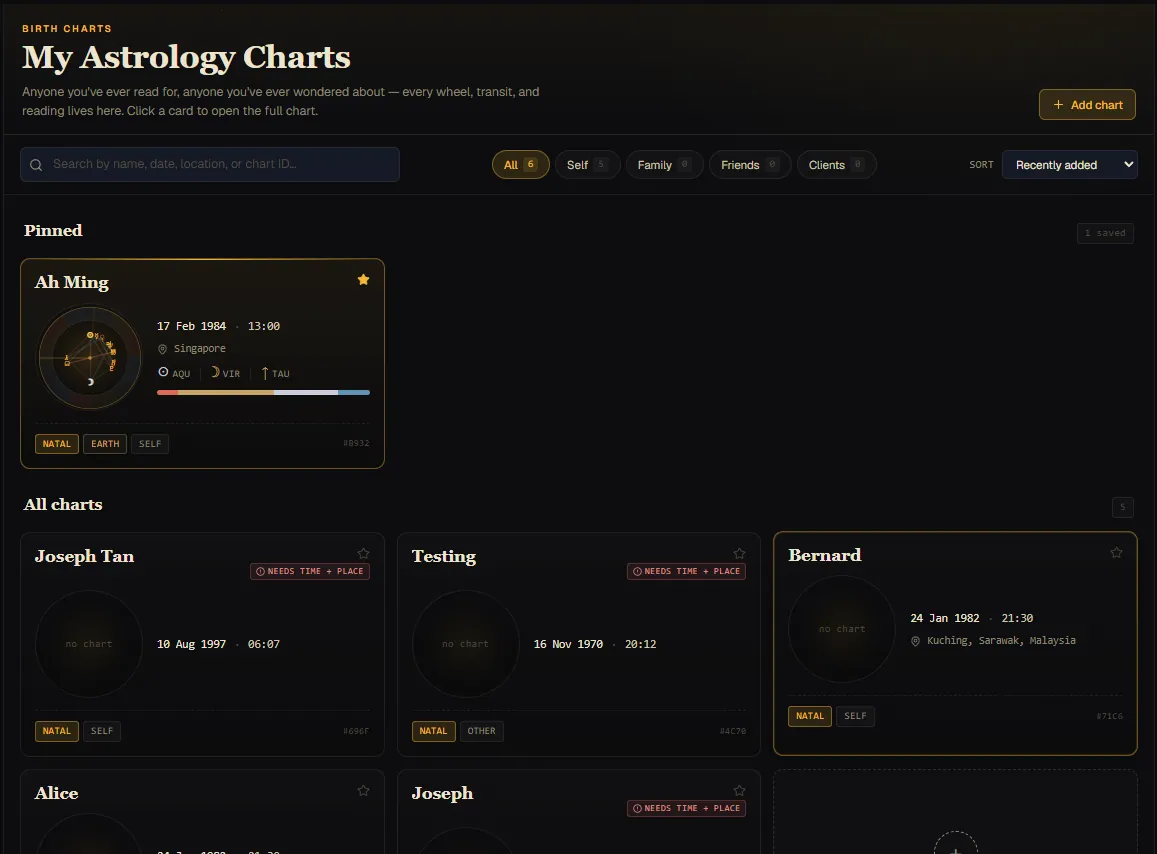
This is also where you'd cast a synastry comparison by pinning a second chart, or jump into the AI chat with this chart already attached as context.
3. Chat with MingAI about your chart
From the chart detail screen, Astrology Reading opens the AI chat with the chart already pinned. Ask anything — natal patterns, current transits, ZR phases, synastry against a friend — and MingAI reads the chart you've pinned (plus the live transit snapshot) and answers in the chosen language.
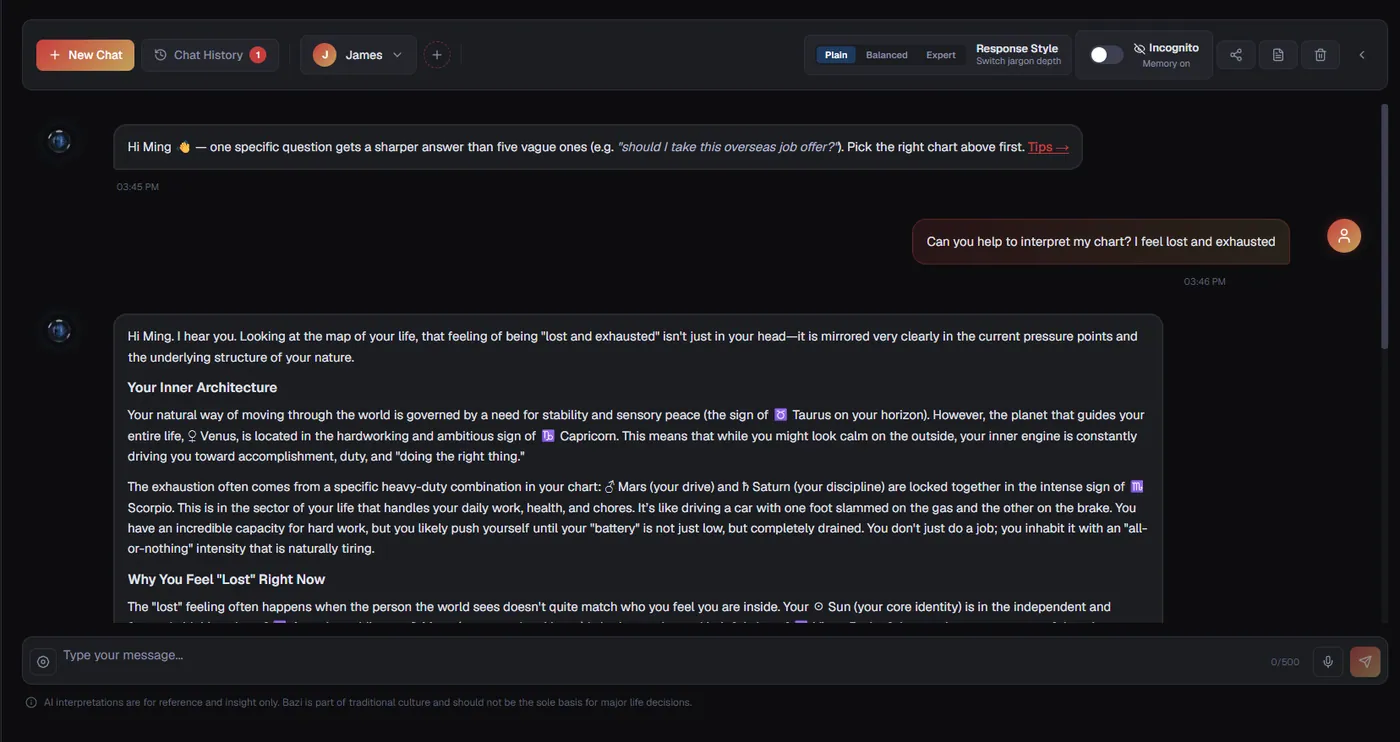
Each message to MingAI spends one astrology credit. Casting charts, viewing the wheel, and exporting a JPG are free. If you're on Pro, synastry (合盘) is unlocked — pin a second chart from the
+button next to the chart selector and ask MingAI to compare them.
What's next
- Want to read tarot too? Tarot is a flat add-on on top of Astrology Pro — see the Tarot help for the cast-shuffle-cut-pick-read flow.
- Birth-time unknown? The chart is cast in Solar Chart mode — the wheel skips Ascendant/houses but everything else (planets, Lots derived without ASC, transit hits) still works.
- Need more credits? Buy a credit pack from Billing & Subscription; purchased credits never expire and are spent only after your monthly allowance runs out.
Still need help?
Contact us